K2 Trading Platform

Risk first. Profit follows.

K2 is a trading platform that puts capital discipline first: locked loss limits, no revenge trading, every account on web and mobile.

Risk limitsLocked
34%Daily loss
12%Total loss
3/6Positions
0.6Lot / 1.5

BUY XAUUSD 0.20 – within limits, sent

BUY XAUUSD 2.00 – above max lot 1.5, blocked

3 losses in a row – 30 min cooldown

Illustration. Limits are checked on the server, against the broker's real price, right before an order is sent.

Risk management

Discipline locked in, free of emotion

Accounts blow up from greed and fear, not from a lack of strategy. K2 turns discipline into system rules.

▼

Daily and total loss caps

Hit a cap and the system closes every position, cancels pending orders and locks the account.

⚖

Risk per trade

Max lot, % risk by SL, minimum SL distance, minimum R:R, total open risk.

⏸

No revenge trading

Losing streaks force a break. Caps on orders per minute, per day, and trading hours.

⛨

Nothing slips through

Checked on the server against the broker's real price. No limits set, or data missing to check, means no new positions.

✕

Close-all by money

Close everything when profit or loss reaches a preset amount. Closing and cancelling are always allowed.

⚿

Live is view-only by default

Real-money accounts are view-only until enabled one by one. PIN for real orders, email OTP at login.

Ecosystem

Every service wired to one risk core

Every order, whether from web or phone, passes through the risk core before it reaches MT5.

Interface

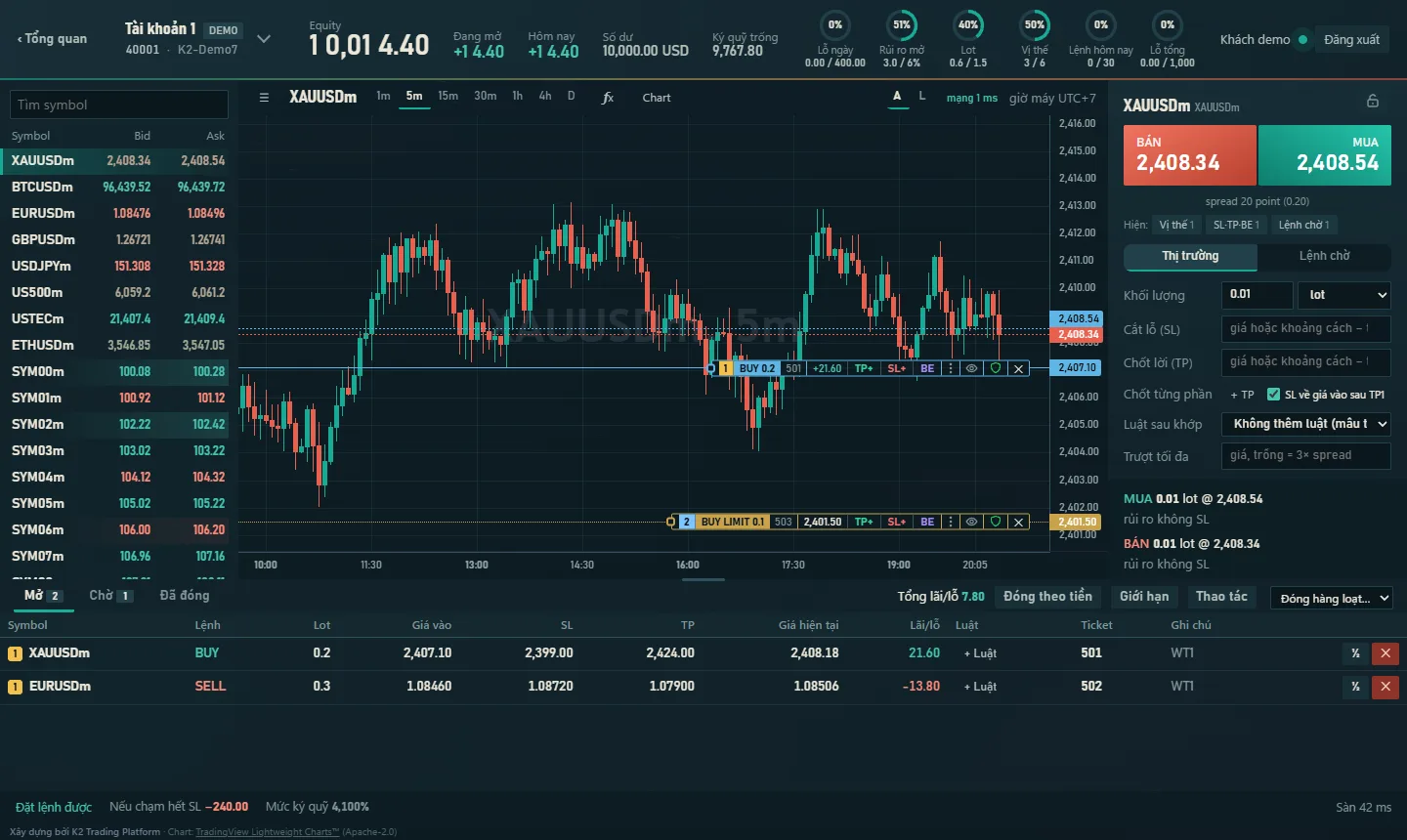
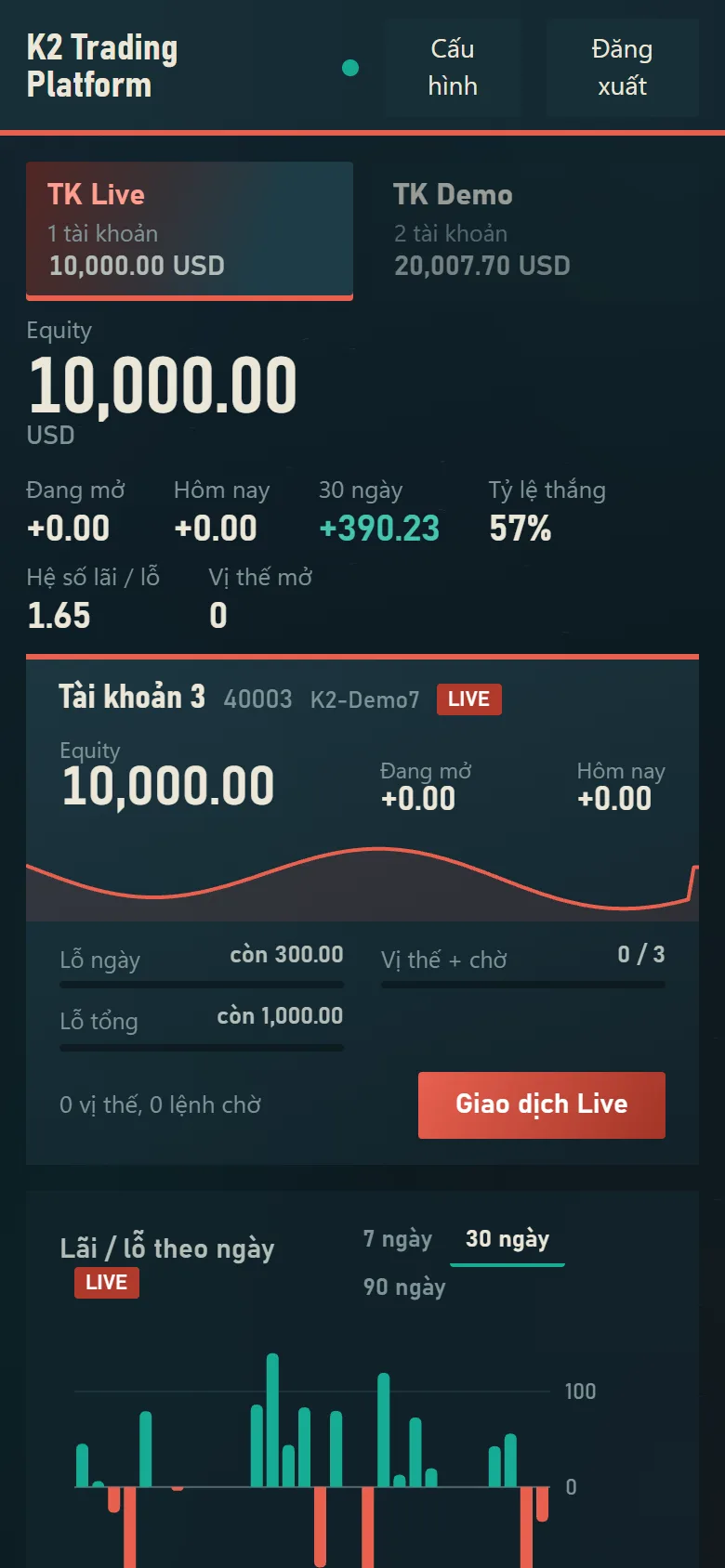
Clear on desktop, compact on mobile

K2 Web Trading screen
Account overview on a phone

Screenshots from a demo account, simulated figures.

2 products

Choose the discipline you need

Risk locked

K2 Cloud

Trade on a platform MT5 account through your personal link. Limits are set and locked by the platform: you cannot loosen or remove them.

  • Limits 100% locked, greed cannot break them
  • Nothing to install, web and mobile
  • Free plan (demo) and Members plan (adds Live accounts)
  • Close-all by money
Self-managed

K2 Local

An installer for your Windows PC, using your own MT5 accounts, licensed by subscription. You set your limits, and you can also remove them.

  • Full set of risk limits
  • MT5 accounts and data stay on your machine
  • License bound to your account, time-limited
  • Discipline depends on you
Detailed comparison
K2 Cloud vs K2 Local
K2 CloudK2 Local
Who sets limitsPlatform sets and locksYou do
Loosen or remove limitsNot possibleYes, any time
Emotional risk (greed, fear)Blocked by locked limitsDepends on your discipline
MT5 accountPlatform'sYours
InstallationNoneWindows PC running MT5
AccessWeb, phone, anywhereOn the installed machine
CostFree / Members planTime-based license

Pricing

A plan that fits you

Cloud Free

Contact us
  • Web Trading on a demo account
  • Locked risk limits
  • Desktop and mobile
Popular

Cloud Members

Contact us
  • Everything in Free
  • Trade Live accounts
  • Close-all by money
  • Priority support

K2 Local

Contact us
  • Windows installer
  • License per account and term
  • Your own MT5 accounts

K2 Cloud account maintenance fees and profit-based fees will be announced later.

FAQ

You ask, we answer

Can I change my limits on K2 Cloud?

No. Limits are set and locked by the platform; you can only view them. That is the point: when the market makes you greedy or afraid, the limits stay put.

How do K2 Cloud and K2 Local differ?

K2 Cloud runs on the platform's servers: you trade on a platform MT5 account and limits are locked. K2 Local is an installer for your Windows PC, uses your own MT5 accounts, and you set — and can remove — your own limits.

Where do I log in?

Click Log in and enter your account code (it is part of the link you were given). You will be sent to your personal Web Trading address.

Does the Free plan trade real money?

No. The Free plan uses demo accounts only. Trading Live accounts needs the Members plan.

Do limits mean I can't lose?

No. Limits stop losses beyond the set level and block impulsive orders, but any trade can still lose within that range.

How do I install K2 on my phone?

Android: tap Install app in the menu. iPhone: open in Safari, tap Share, then Add to Home Screen.

Risk warning

Trading forex, CFDs and crypto involves leverage and high risk, and you may lose all your capital. Risk limits reduce losses but do not guarantee profit. Past results do not guarantee future results.
Log in to Web Trading

-web-trading.k2tp.net

The code is at the start of the link you were given, e.g. c0003-xxxx-web-trading.k2tp.net.

Install K2 on iPhone

  1. Open this page in Safari.
  2. Tap the Share button (square with an up arrow).
  3. Choose Add to Home Screen, then Add.